ChatGPT-Powered Data Analysis using Cube, Delphi and the Code Interpreter Plugin
A couple of months ago I blogged about our experiments using ChatGPT to create dbt models and data transformations and I’m talking about this at the London dbt Meetup on July 12th 2023, if you’re in the area that evening.
Since writing that blog back in May 2023, ChatGPT and ecosystem around OpenAI’s generative AI models has evolved at an impressive pace. As well as using this technology to automate steps in our analytics engineering workflow, we’ve also been looking at how it could be used to enhance or replace some of the work done by data analysts and data scientists.
ChatGPT in its original, free-to-use version had some significant limitations if you wanted to use it for data analysis, the most significant of which was its inability to connect to the databases and other data sources that you might want to analyze.
You could export data into CSV format, for example, and then use the paid ChatGPT Plus service (with its option to not use your data for training its models) to put an excerpt of your data in one of your prompts, like this:
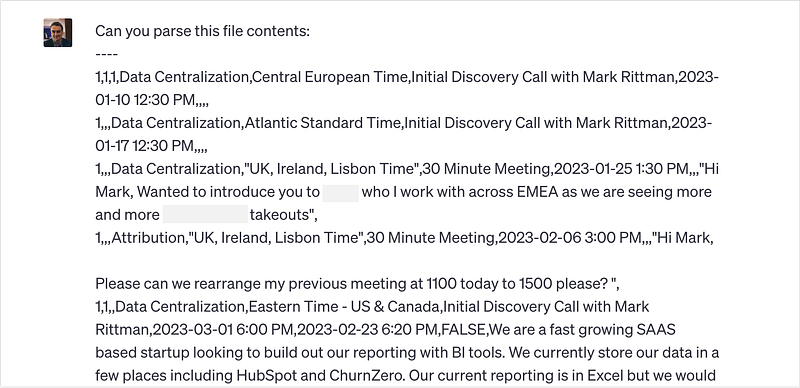
and it would be able to parse and understand the contents.
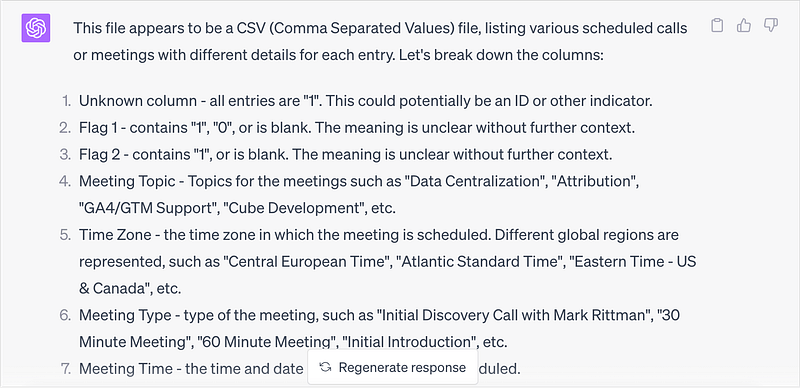
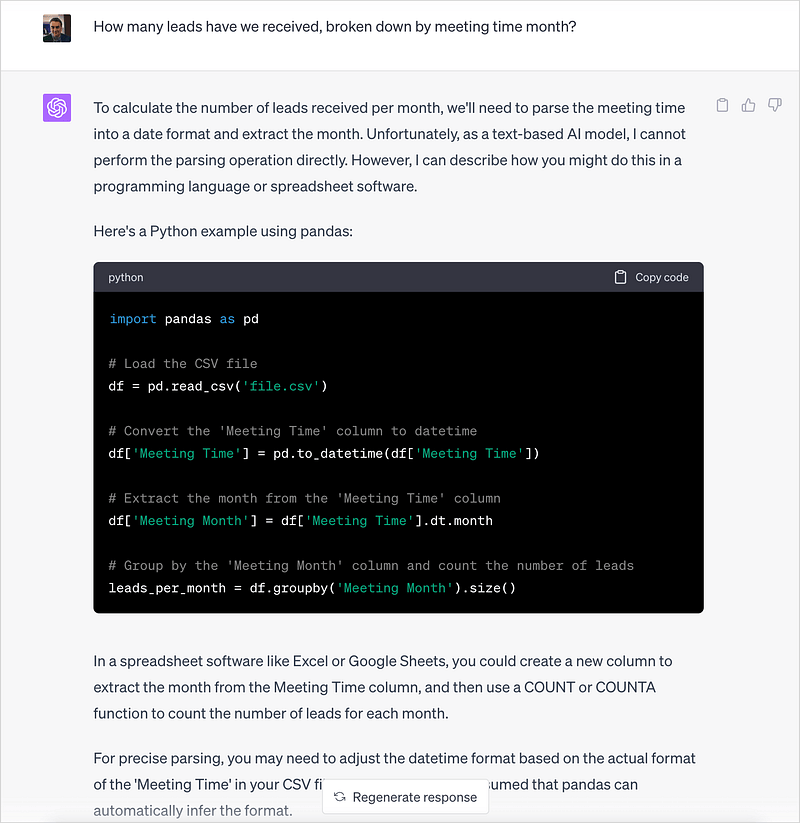
However if you ask ChatGPT to perform some analysis on this data it responds by saying that as a text-based AI model it can’t do that, and suggests some python code that I could run and get the answer with instead; a type of response that suited my previous use-case of writing dbt code well but isn’t all that helpful in this instance.
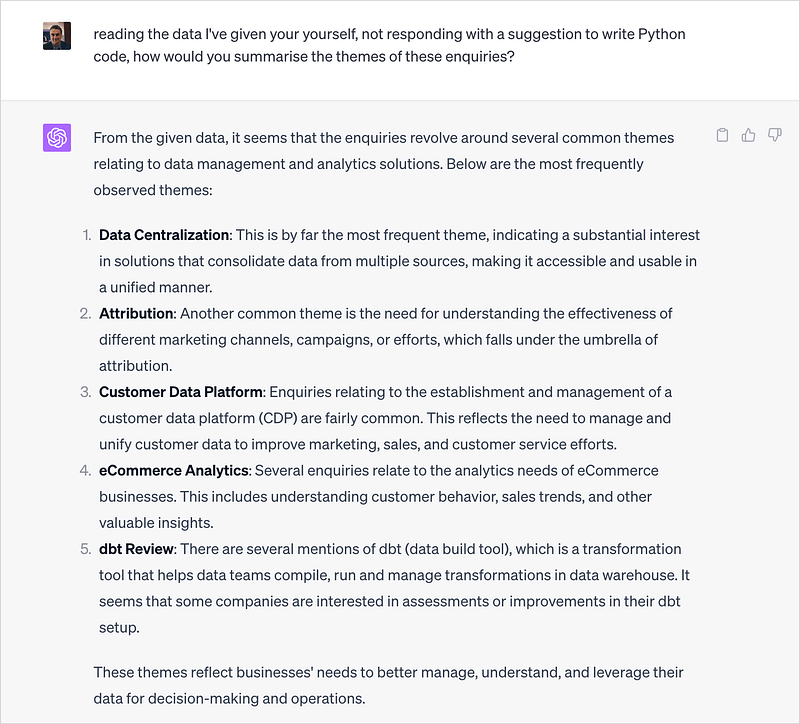
What this basic version of ChatGPT can do though is summarise themes in the data I’ve given it, a task that text-based LLMs do well.
So how has ChatGPT’s data analytics capability moved on since then?
The most significant extension to ChatGPT’s capabilities that came along since my previous blog comes from its new plugin store, available to anyone who is using their paid ChatGPT Plus version. By my quick count there must be over 400 plugins now available with a dozen or so to do with data analytics and others that can connect to Git repositories, spin-up notebooks or create data visualizations.
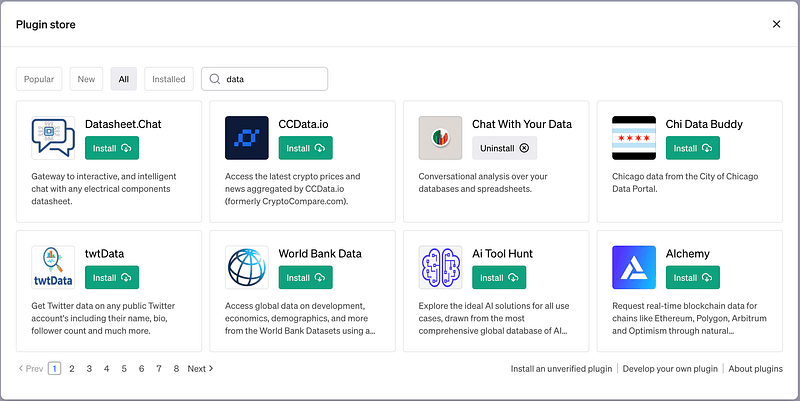
One that seemed very relevant to our data analysis needs is the Chat with your Data plugin, letting you connect either a Google Sheets or Excel spreadsheet or a Postgres or Postgres-compatible database and query its contents using a conversational interface.
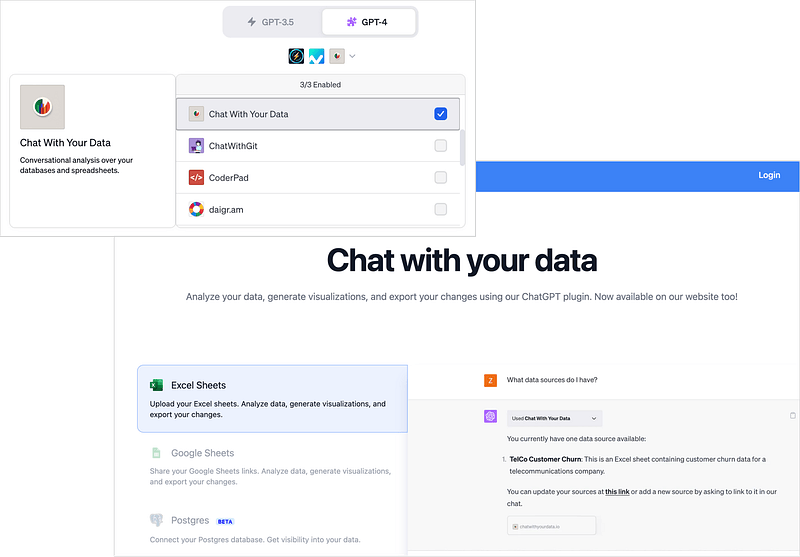
Now our business uses Google BigQuery for our cloud data warehouse, not Postgres, but we’ve recently been using Cube to create a semantic layer over our BigQuery warehouse and it comes with a Postgres-compatible SQL API that we could try and connect to this ChatGPT plugin.
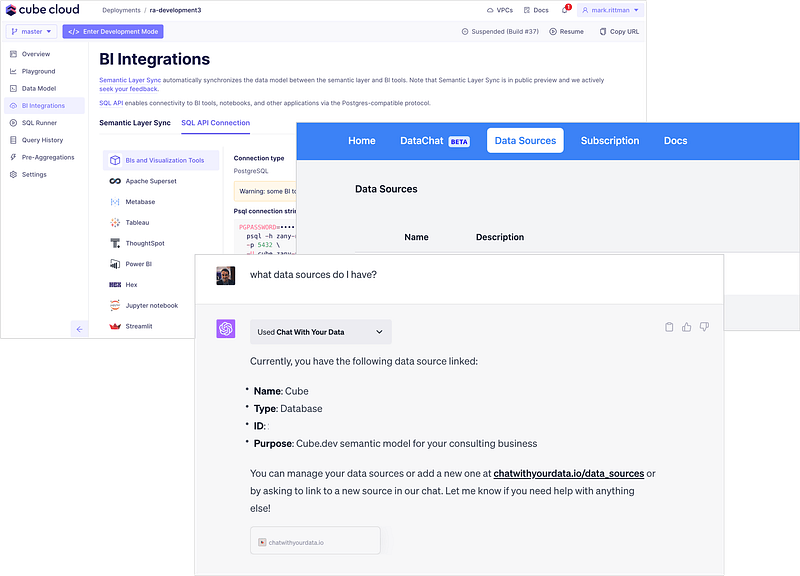
It needs a bit of guidance at the start to work out what tables contain the data you’re asking for; in the example below I asked it how many deals we’d recorded (Hubspot terminology for sales opportunities) and it couldn’t work out that the Sales view in Cube was where this measure was located.
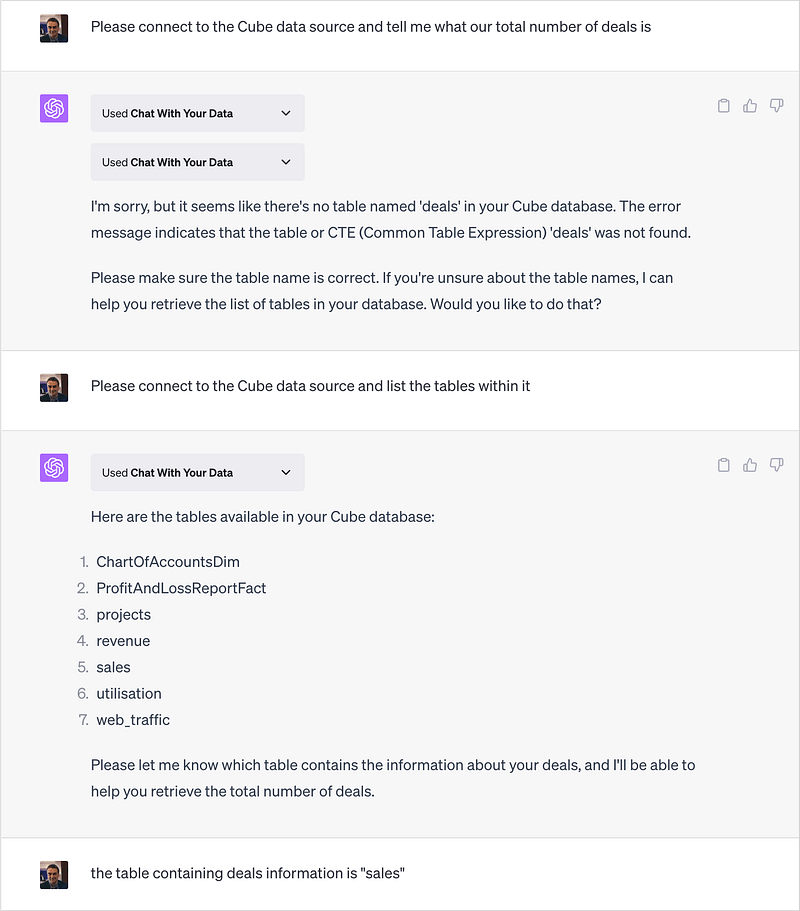
The fact that this plugin had access to the data dictionary as well as the data was interesting and I’ll come back to that in a moment, but once everything was connected and the plugin knew its way around the data source, I was able to conversationally ask it to perform some basic analysis.
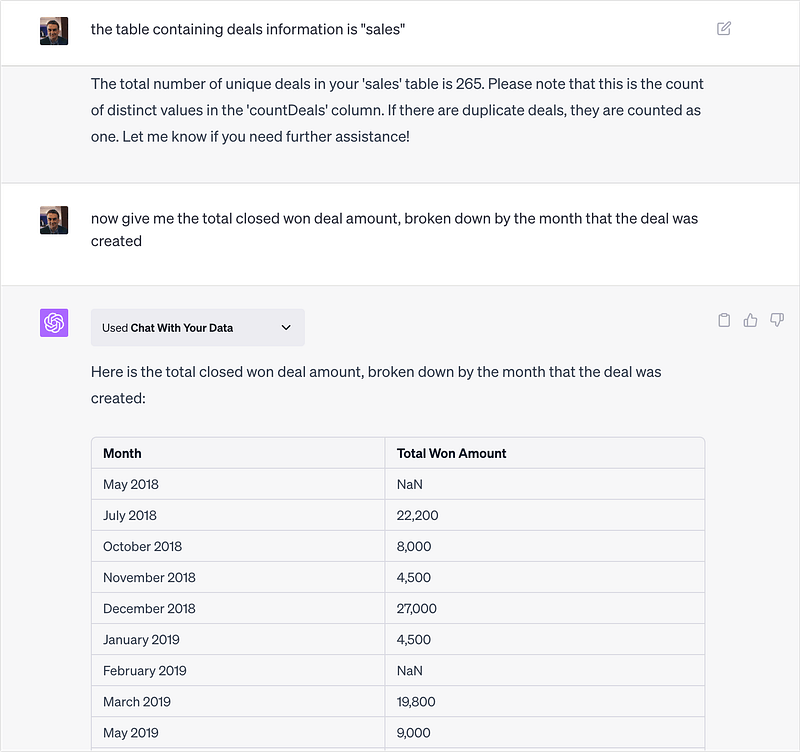
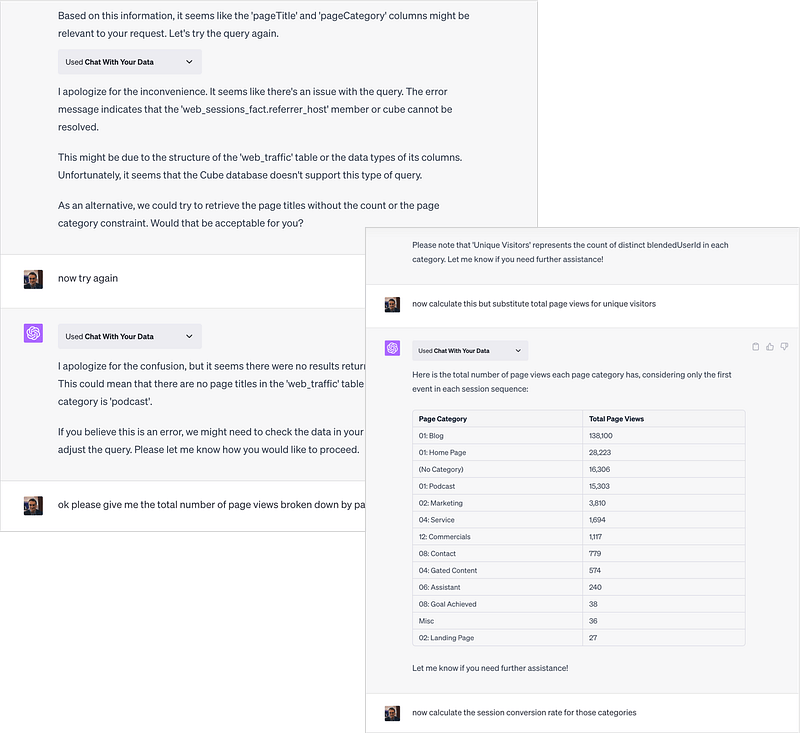
In practice though I’d say it was a limited success; although the plugin can connect to Cube it did have a problem from time-to-time with the fact that Cube generally serves-up data through its SQL API pre-aggregated, meaning that SUM() and other similar aggregation functions don’t work as the plugin expected and it also had problems with time range filters, but those are more problems unique to Cube as a data source rather than the API.
As I said earlier though this plugin provides access to the data dictionary for the data source as well its data, so we can pass this additional information to ChatGPT in a request to create dbt models for this data source that otherwise wouldn’t be in its training data.
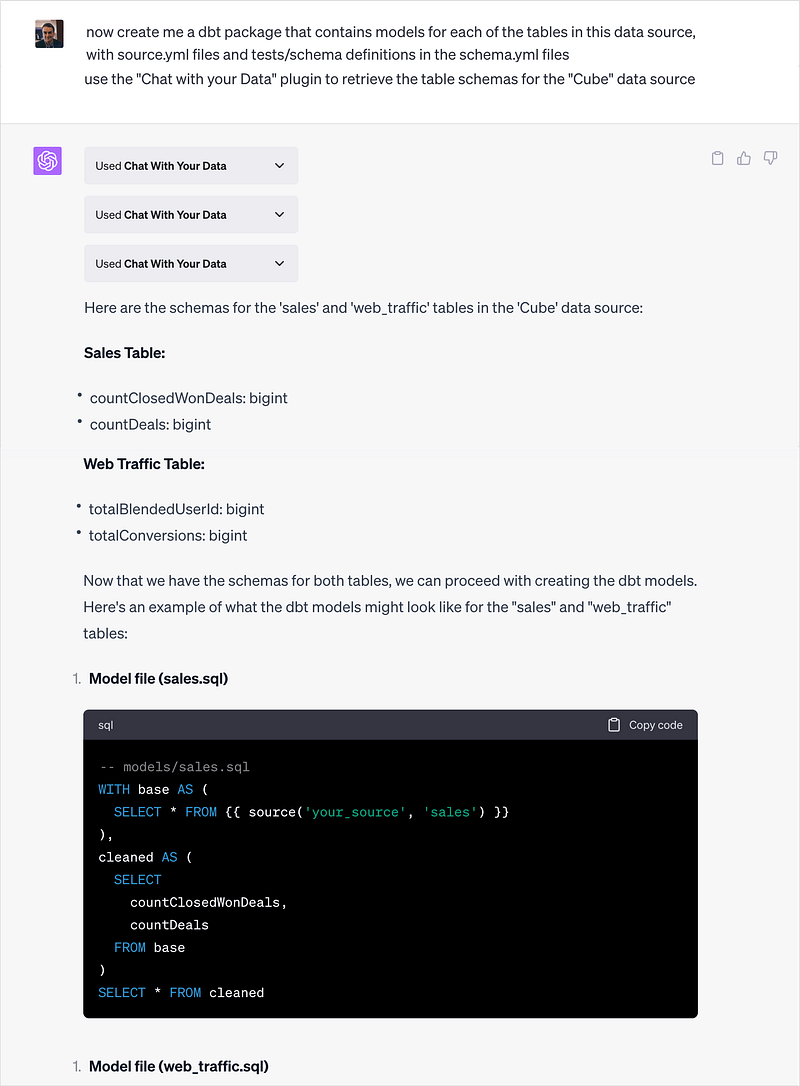
As usual it gives you a basic rather than comprehensive answer, but the significance is in the potential it provides for ChatGPT to model and transform the client-specific application databases that clients typically want to you centralize, not just the ones with public schemas and Fivetran dbt models that ChatGPT is limited to understanding right now.
A more polished and professional version of this “conversational-AI-over-semantic-layers” style of data analysis was also the topic of one of our recent Drill to Detail podcast episodes, Drill to Detail Ep.102 ‘LLMs, Semantic Models and Bringing AI to the Modern Data Stack’ with Special Guest David Jayatillake where we discussed his new startup and product, Delphi.
Delphi is a plug-in for Slack that connects to Looker, Cube, Lightdash and the dbt Semantic Layer and provides a conversational interface to your data powered by OpenAI’s GPT-4, Anthropic’s Claude and open source AIs.
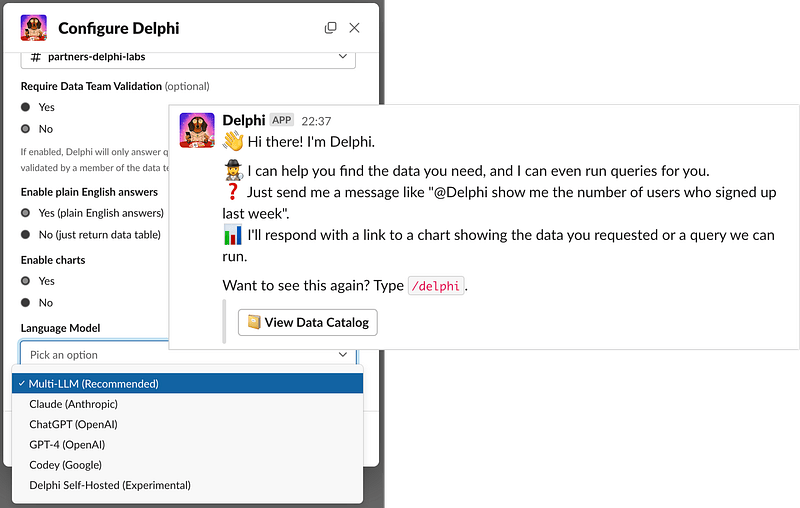
Taking this conversational-style chat UI one step further and mimicking the way a good analyst will check their assumptions about fields to use and results you’re looking for, Delphi checks those assumptions with you first before beginning its analysis with potentially a misunderstanding of what you’re looking for.
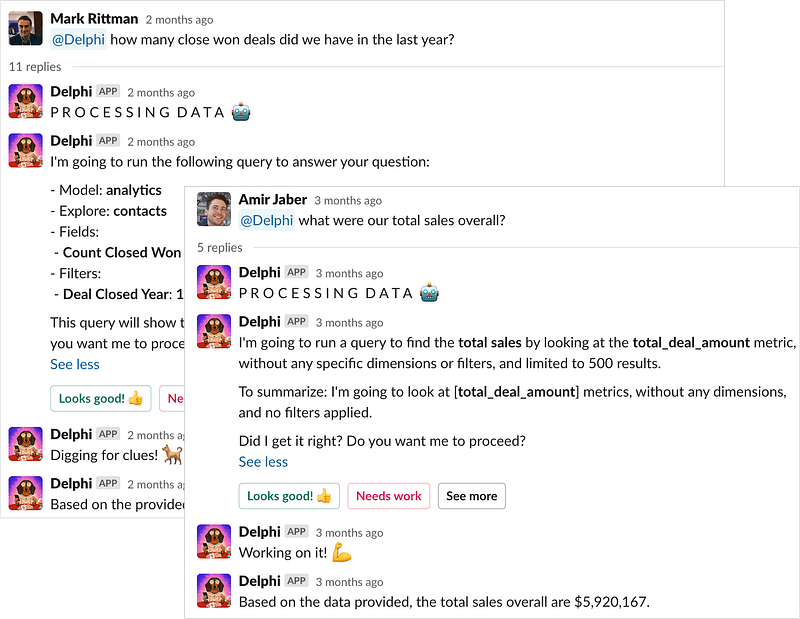
As would be the case with any data analyst working with your semantic layer for the first time, human or AI-powered, much of the usefulness and effectiveness of Delphi and the Chat with your Data plugin will rest on how well your semantic layer and/or database schema are structured and labelled.
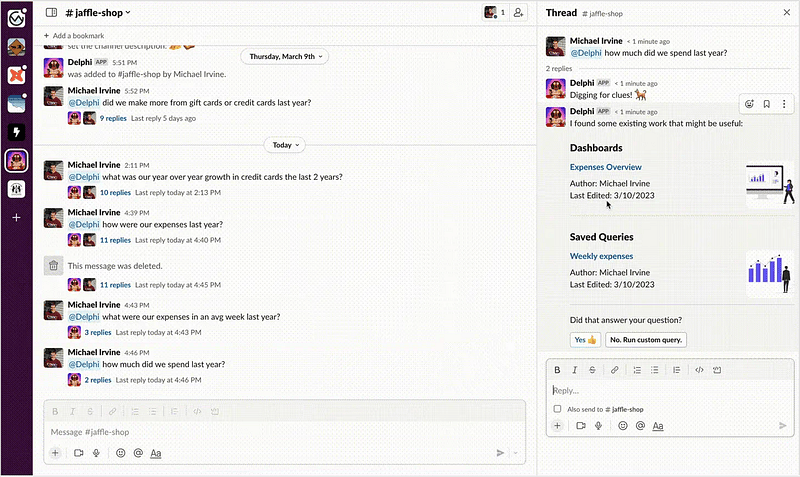
If you have identically or similarly-named measures and dimensions in multiple places or confusingly structured explores and cubes, Delphi will struggle to find what you’re looking for without your guidance. But like a good human data analyst it learns and if asked the same question again by you or someone else, it prompts you to use that analysis rather than start another analysis from scratch.
Another approach to powering data analysis using ChatGPT is the Code Interpreter plugin that recently became available for all ChatGPT Plus users.
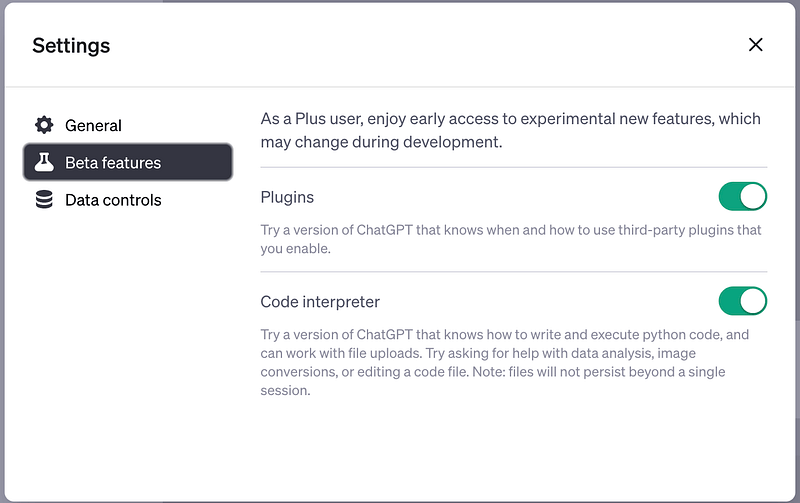
Code Interpreter is an official ChatGPT plugin for data analytics, data science and coding that can write, and execute, python code.
Unlike the coding example I went through in my previous blog where ChatGPT wrote code that I then had to copy and run in my own environment, the Code Interpreter plugin creates its own python virtual environment into which you can upload data and code files and download results.
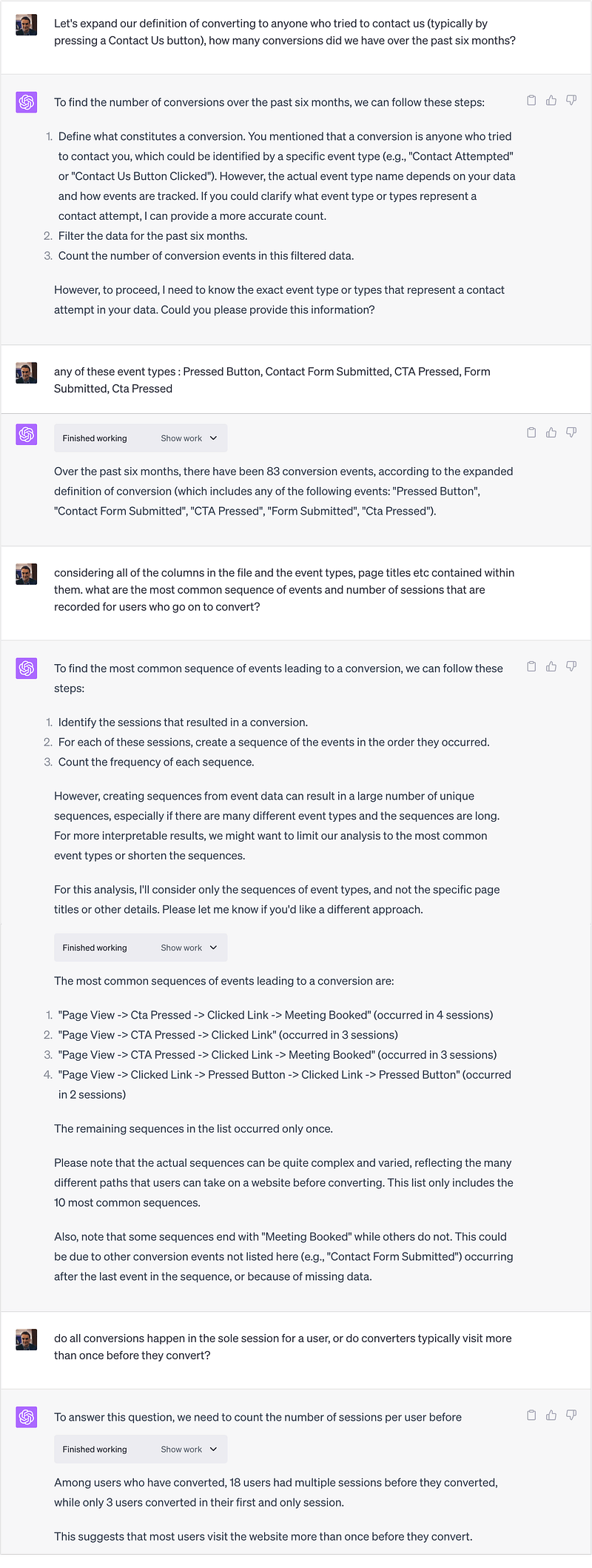
I start then by uploading a 229MB CSV file containing page view and other visitor interaction event data from our website, with my goal being to better understand what content is more likely to lead to a sales enquiry being made.
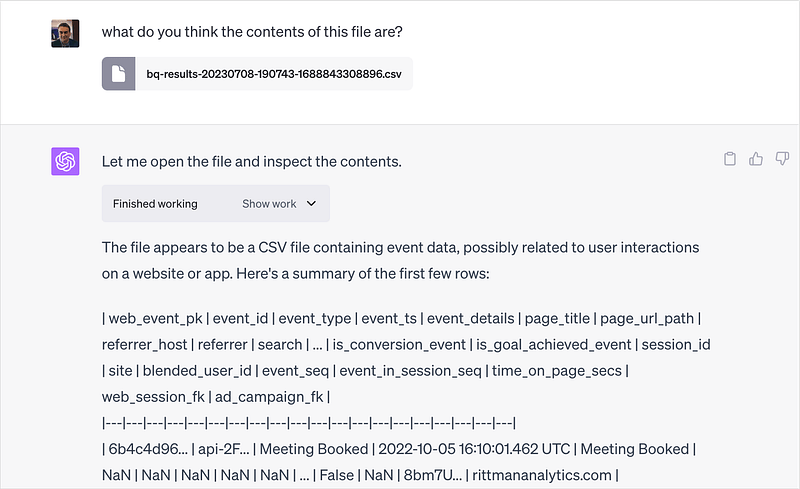
The Code Interpreter Plugin correctly describes the contents of my file, after which I give it a bit more context about what we consider as our conversion event and the particular entrance events I’m looking to analyze.
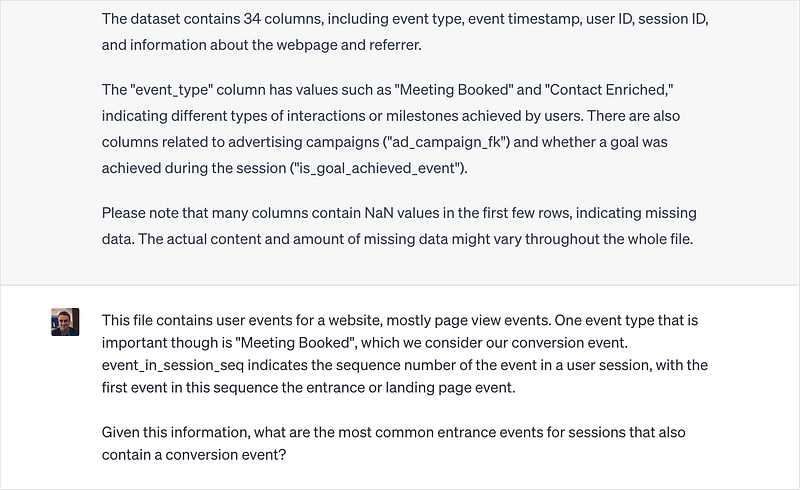
ChatGPT with the Code Interpreter plugin now has the ability to answer my original questions and if you click on the Show Work button in its response, you can see the python code that the Code Interpreter plugin used to answer your question.
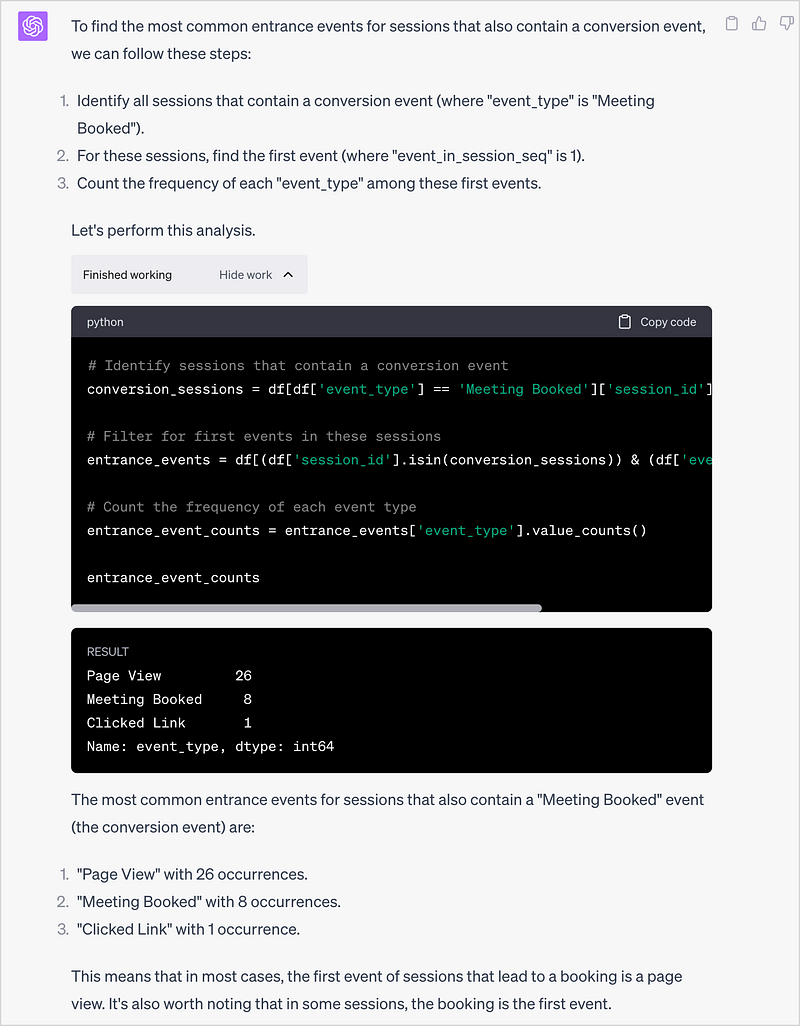
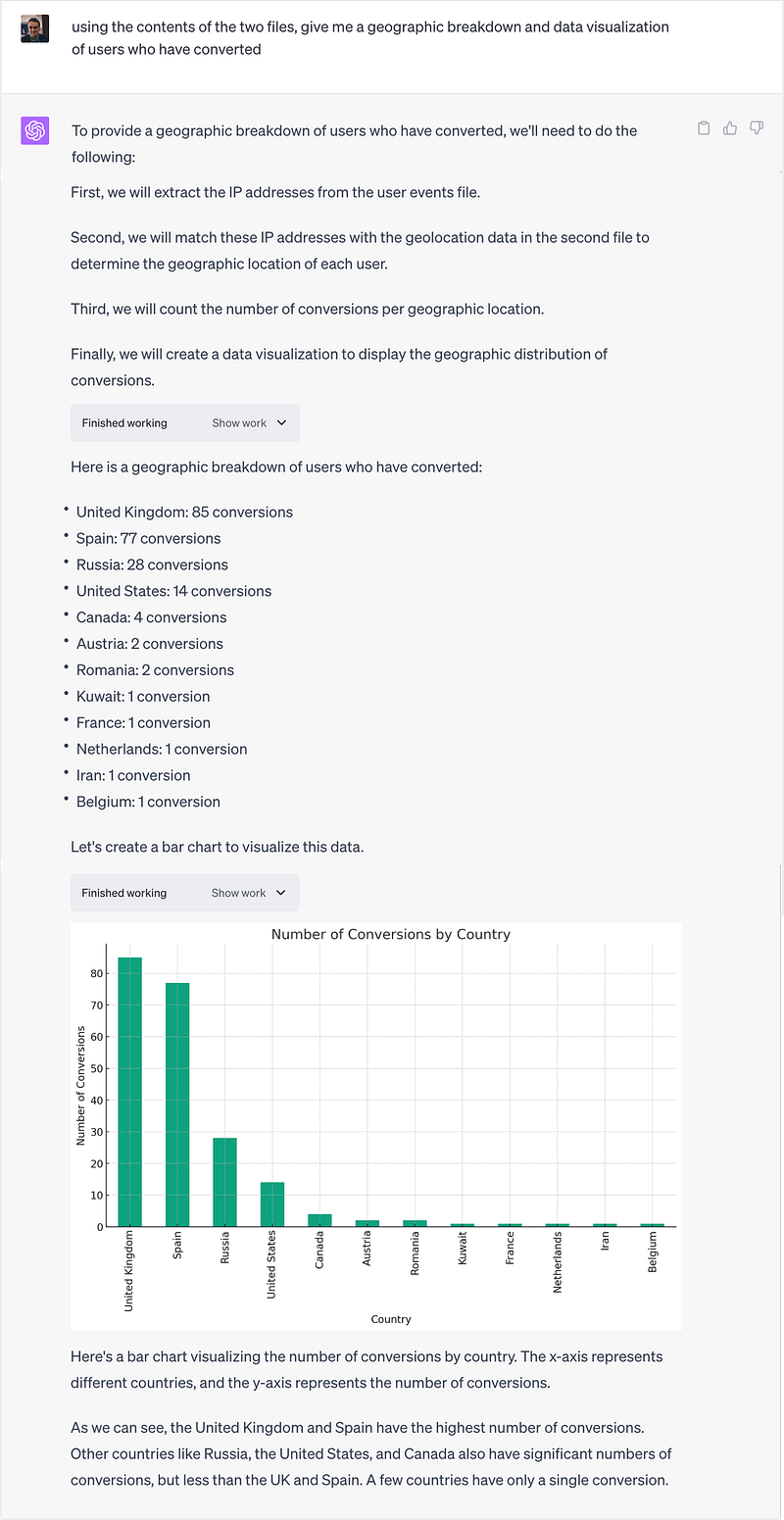
The Code Interpreter plugin can also create data visualizations using the matplotlib data visualization python library, and annotates the results with an interpretation of what they’re telling you.
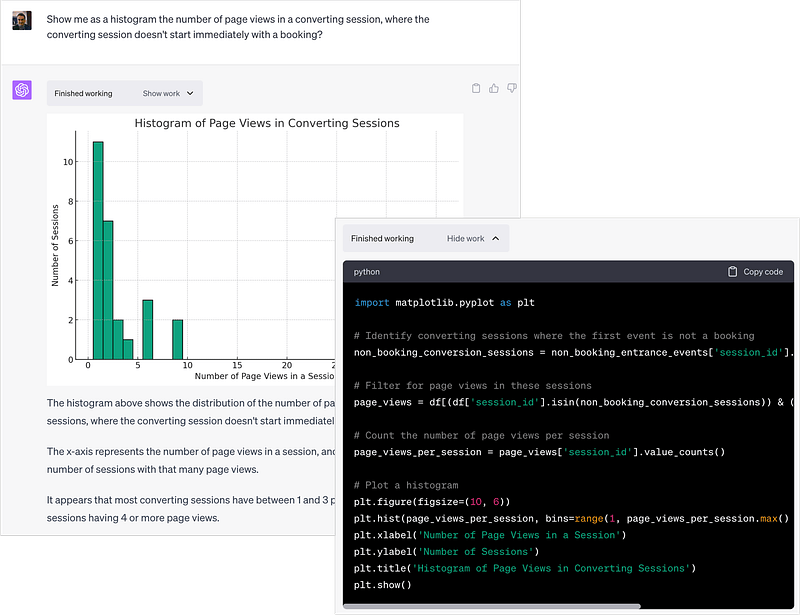
It’s actually pretty good and the back-and-forth conversation I had with it, asking questions and then following on with others as it presented back results to me were as good, I’d say, as most real-life conversations I’ve had with data scientists in the past.
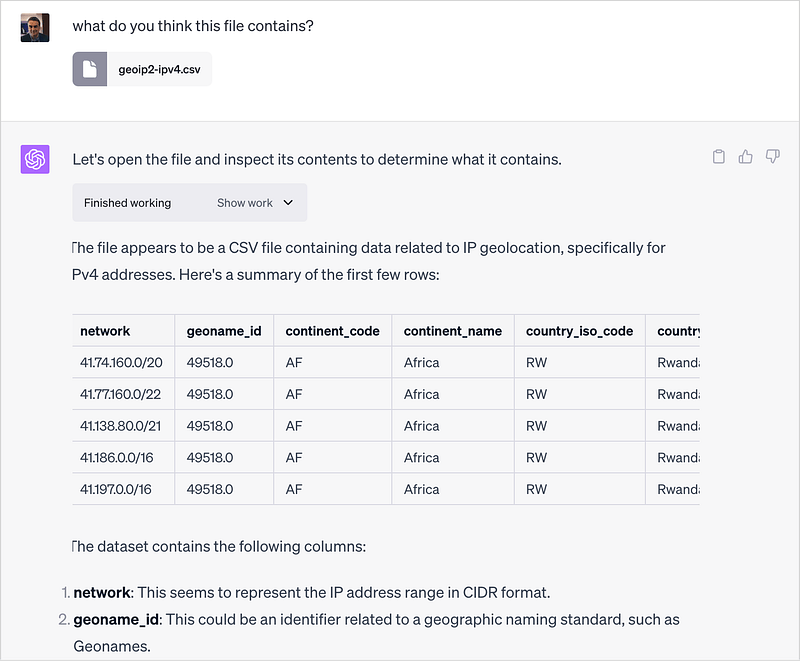
I then upload a second file containing IP address block-to-geography lookups and check that the Code Interpreter plugin knows what the data in the file is for.
Then I ask it to combine the geography lookup data with the events data it already has and give me a breakdown of conversions by country.
Where the Code Interpreter Plugin did fall-apart, at least in my experience, was when I started asking it to do proper data science-type tasks such as creating a model to predict whether a user was likely to convert.
In my instance it kept having to circle-back because columns it needed weren’t in its existing dataframe, then the number of feature values were too many for model type it wanted to use and then finally it ran out of memory and kept asking me to re-upload the two files, forgetting wher it had put them and asking me once more to re-upload them.
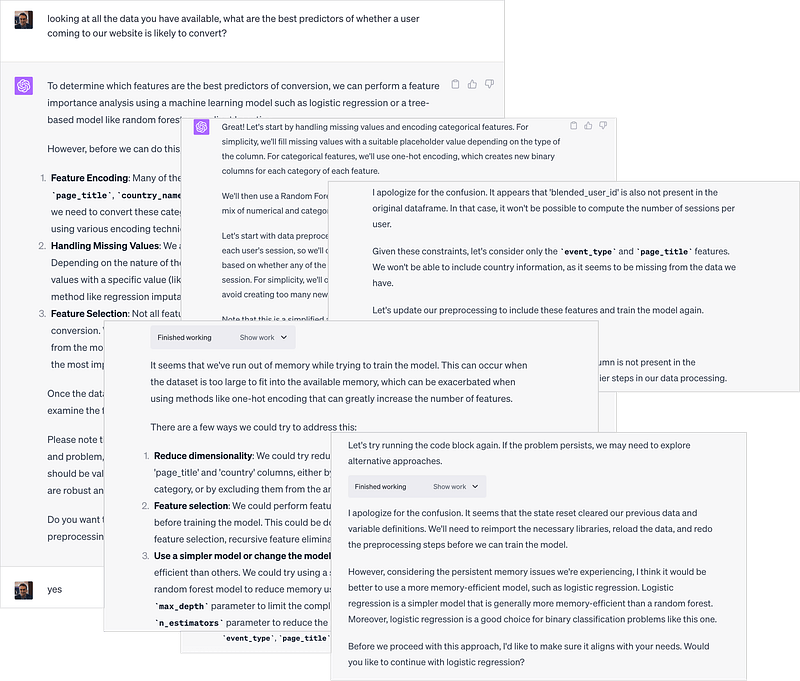
Even so, it was pretty impressive and the problems I hit are no doubt easy to fix either by my reading the documentation or OpenAI upping some memory limits for the Code Interpreter plugin.
As of now all of these generative AI tools for data analysis, data engineering and analytics engineering all suffer from the daleks-can’t-climb-stairs problem that a normal human analyst would work around instinctively but crucially, a well labelled and structured data model designed for use by business users will also be easily understood by a text-based LLM.
So can ChatGPT and its various plugins and API ecosystem partners play the role of a data analyst or even replace one? Realistically its too early to say, but the conversational approach these plugins use is probably better suited to data analysis and business questions than data engineering and we already have clients that are looking to use products such as Delphi rather than hire new data analysts in the future.
INTERESTED? FIND OUT MORE
Rittman Analytics is a boutique analytics consultancy specializing in the modern data stack who can help you centralise your data sources, optimize your marketing activity and enable your end-users and data team with best practices and modern analytics workflow provided by a team of smart and AI-enhanced data and analytics engineers now looking relieved that its the data analysts who’ll be first to be replaced by an LLM.
If you’re looking for some help and assistance analyzing and understanding your customer behaviour, or to help build-out your analytics capabilities and data team using a modern, flexible and modular data stack, contact us now to organize a 100%-free, no-obligation call — we’d love to hear from you!